Vibe-Coding the Missing Algolia Comparison Dashboard
Algolia is a tremendously powerful search platform, especially for e-commerce. But like most SaaS tools, the management dashboard doesn't do everything you need it to do. In particular, it's hard to compare search result rankings across variations in indexes -- a super common pattern when you're testing and iterating on index configurations before A/B testing, implementing algorithm and UI proof-of-concepts, or refining search relevance.
At several places I've worked, I've built (or spec'ed out) comparison apps that allow you to run the same query in parallel and easily see and compare the results, for internal testing. Most recently, I vibe-coded an app that has worked very well. I can't share the code itself, so I've written a spec for a generic, equivalent app that is free for anybody to use and customize.
The app includes several key features that make it useful for this sort of testing:
- Multiple-column display, highlighting position changes of results
- Ability to configure and select multiple indexes and apps
- Ability to configure display mappings
- Filter support
- Info popup with ranking debugging info
- Mobile-friendly design
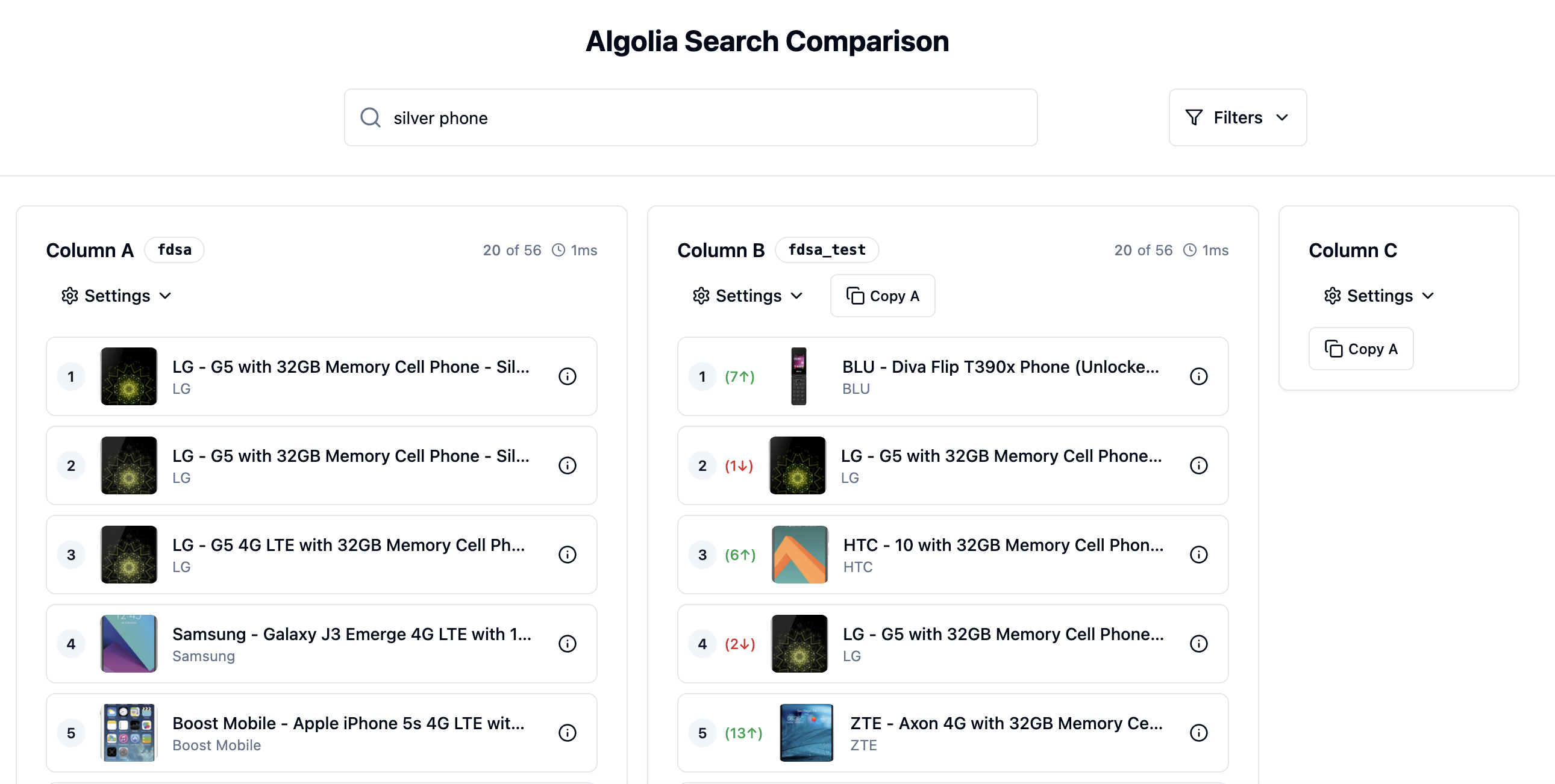
Algolia Comparison Dashboard
The spec is in OpenSpec format, and you can use your favorite AI coding tool (I'm partial to Cursor CLI, but I'm sure Claude Code would work well too) to implement it. Any changes you make to the spec before you build, such as changing web frameworks, will be automatically incorporated into the generated code. The spec and instructions are available on GitHub -- you can use it to get started building your own comparison tool.
Out of the box, this is helpful for testing configuration changes, such as Algolia replicas with different index parameters or tiebreakers. But I've also used it as a test-bed for a variety of algorithms, which I spec'ed out and had the AI write. For example:
- Rerank the top items to increase the number of brands visible on page 1. (Avoid the "white shoes" being all-Nikes problem.)
- Auto-apply filters in a non-magical way. ("white shoes" becomes "color:white category:shoes", but with filters visible and removable by the user)
- Post-query refinement suggestions. (Filters that helpfully narrow down very long results.)
Adding features like this, at least enough to test and validate, can take the AI just five or ten minutes, if you have a clear idea of what you want to build. It's now faster to try it out and throw it away than to schedule a meeting to discuss your idea!
Algolia users need great, custom tools for testing and iterating on their index configurations. Vibe-coding lets you build these tools quickly -- and now that it's so much easier, there's less of an excuse not to have them. Implementing a high-quality search experience relies on having great, custom internal tooling.
Advertisement: Does your organization struggle to get the relevance, user experience, and business impact you need from Algolia? I'm a freelance consultant with years of Algolia experience who can help you get the most out of advanced tools and search algorithms. Get in touch!